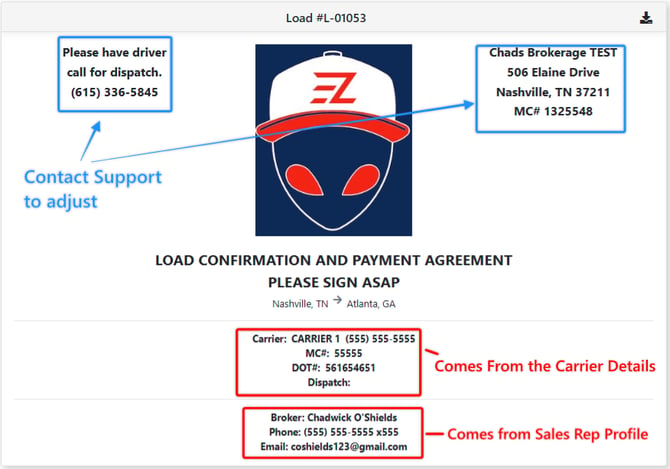
Rate Confirmation Header
The header of the Carrier Rate Confirmation shows your General Brokerage details, which can be configured by the EZ TMS support team, along with applicable Carrier and Broker information.
-
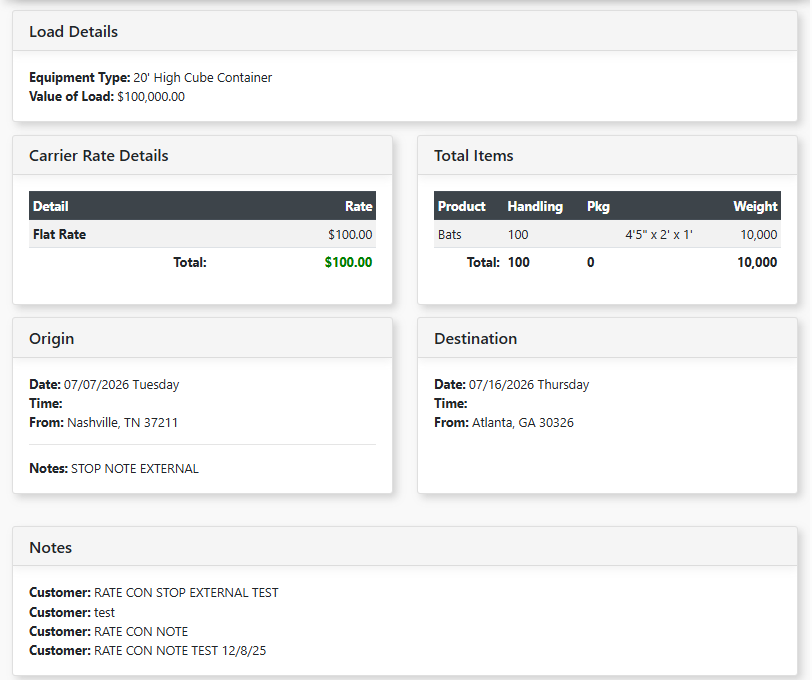
Below the Header, the Carrier will see Load details (some of which can be hidden based on the Rate Confirmation Settings)
-
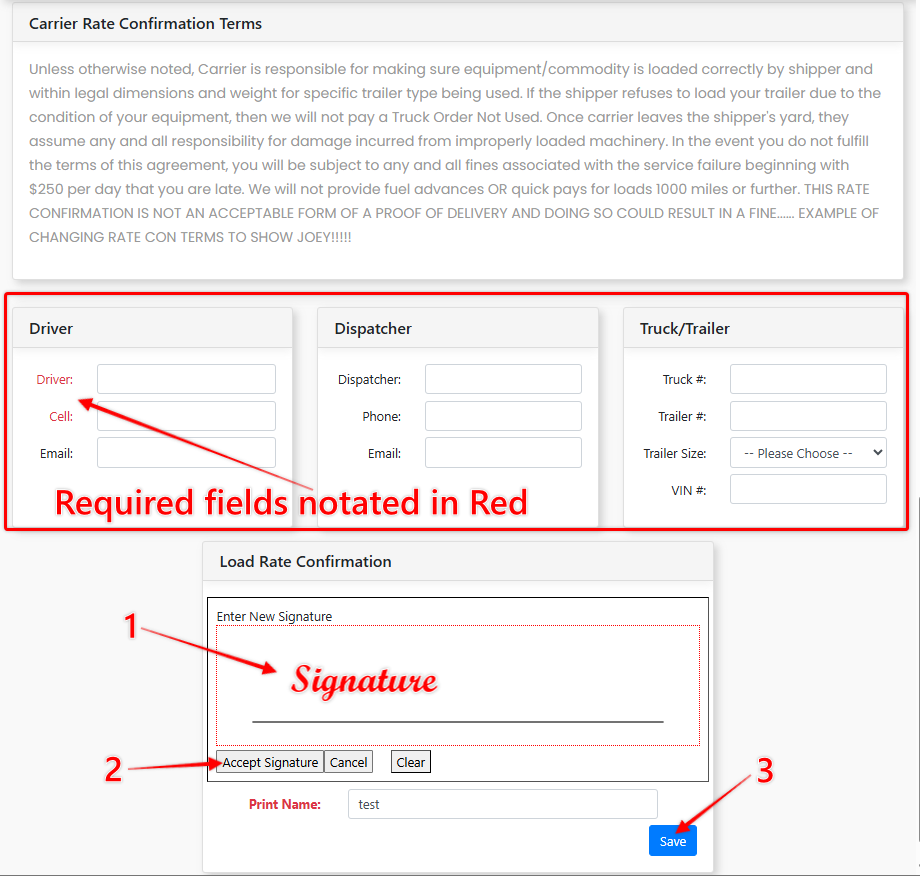
Next, the Carrier will see the Rate Confirmation Terms, followed by fields to enter Driver, Dispatcher, and Truck/Trailer details.
***(Required information in these fields is highlighted with Red font)
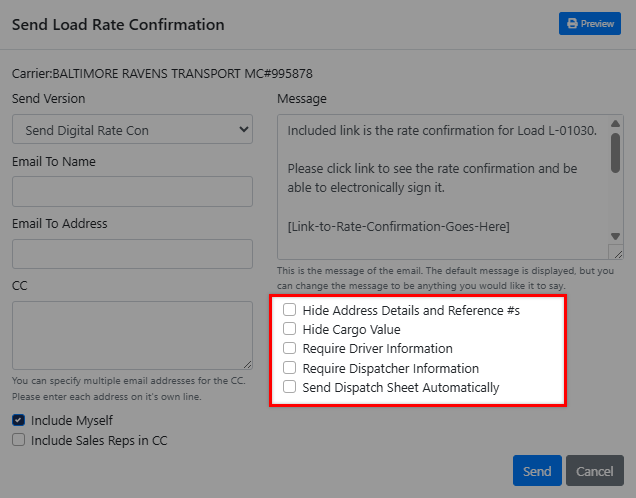
Rate Confirmation Settings
You can choose the following settings to hide or require information on the Rate Confirmation. These settings can be configured at the Account Level.
- Hide Address Details and Reference #s
- Hide Cargo Value
- Require Driver Information
- Require Dispatcher Information
- Send Dispatch Sheet Automatically
(Settings > Settings & Documents > Company Information & Defaults > Rate Con Settings)
PLEASE NOTE ***
You can override the Account-level Rate Confirmation settings for specific loads when completing the Carrier Rate Confirmation send window.