Default "Mode" when Building Loads
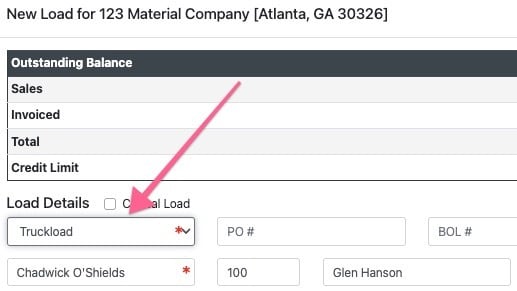
Sets the default of the load mode type in the New Load Wizard
Dashboard - Optional Load Statuses
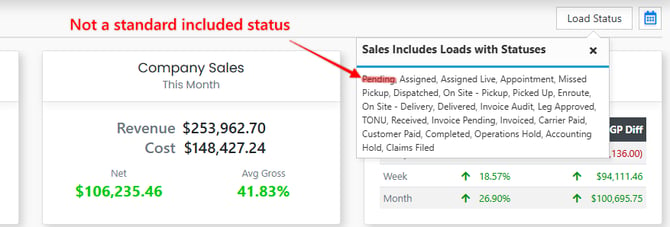
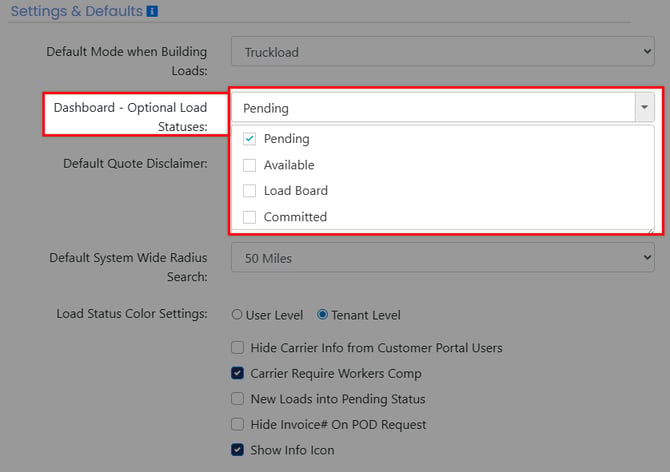
Provides the ability to incorporate additional statuses into your dashboard sales metrics. To see which statuses are currently displayed in your dashboard metrics, simply click the load status button located in the corner of your dashboard page.
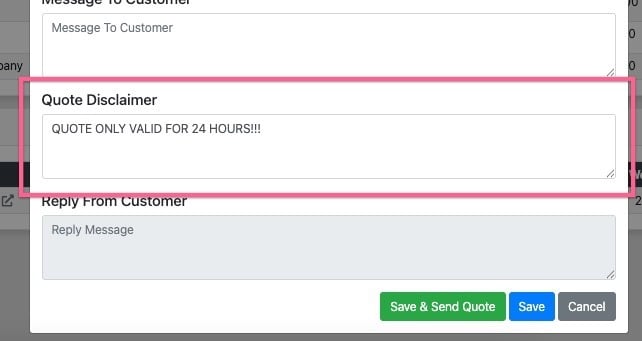
Default Quote Disclaimer
Text entered into this field with automatically display in the quote disclaimer section of a quote.
Default System Wide Radius Search
This currently has no function. It will be applicable to future project releases.
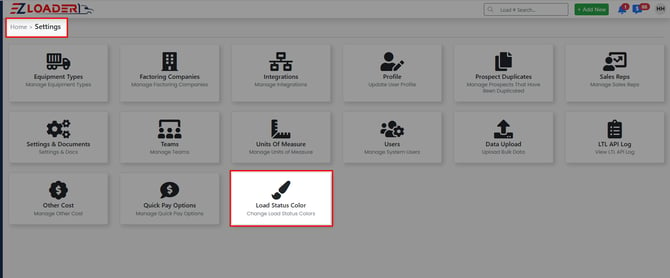
Load Status Color Settings
Specifies whether users can customize status color coding individually or if it is standardized across the entire company.
If set to "User" level each user can set their preferred color coding in the profile page.
If set to the "Tenant" Level, Admin users will have a new card on the settings page which will allow them to set a color scheme for the entire company.
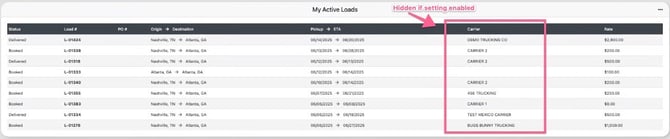
Hide Carrier Info from Customer Portal Users
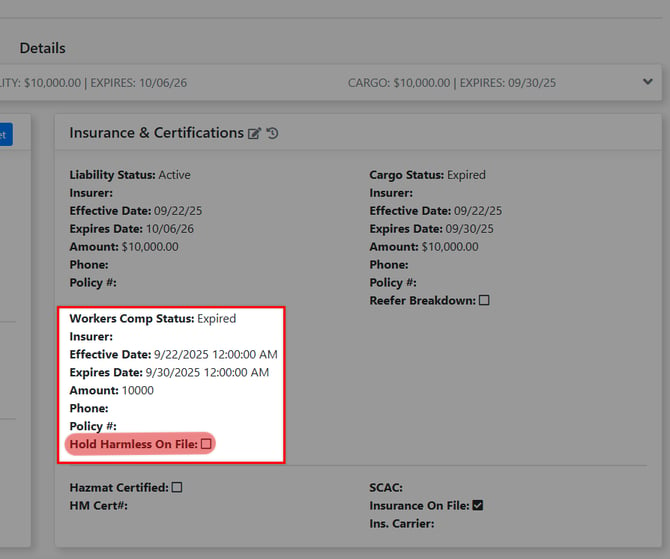
Carrier Require Workers Comp
When activated, this feature introduces extra validation rules for carriers, ensuring that a carrier cannot be assigned to a load unless they have valid workers' compensation insurance on file or if a "hold harmless" agreement has been documented.
New Loads into Pending Status
When enabled, new loads will start in "pending" status versus the defaulted "available" status
Hide Invoice# On POD Request
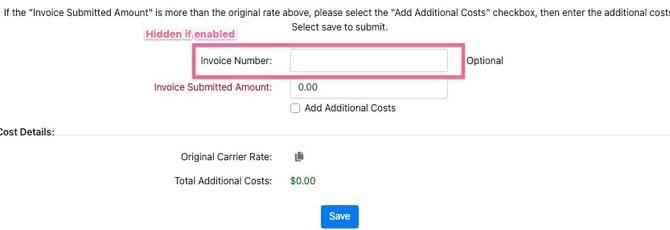
When enabled, hides the invoice # field from the POD/Invoice request form preventing the carrier from inputting this information.