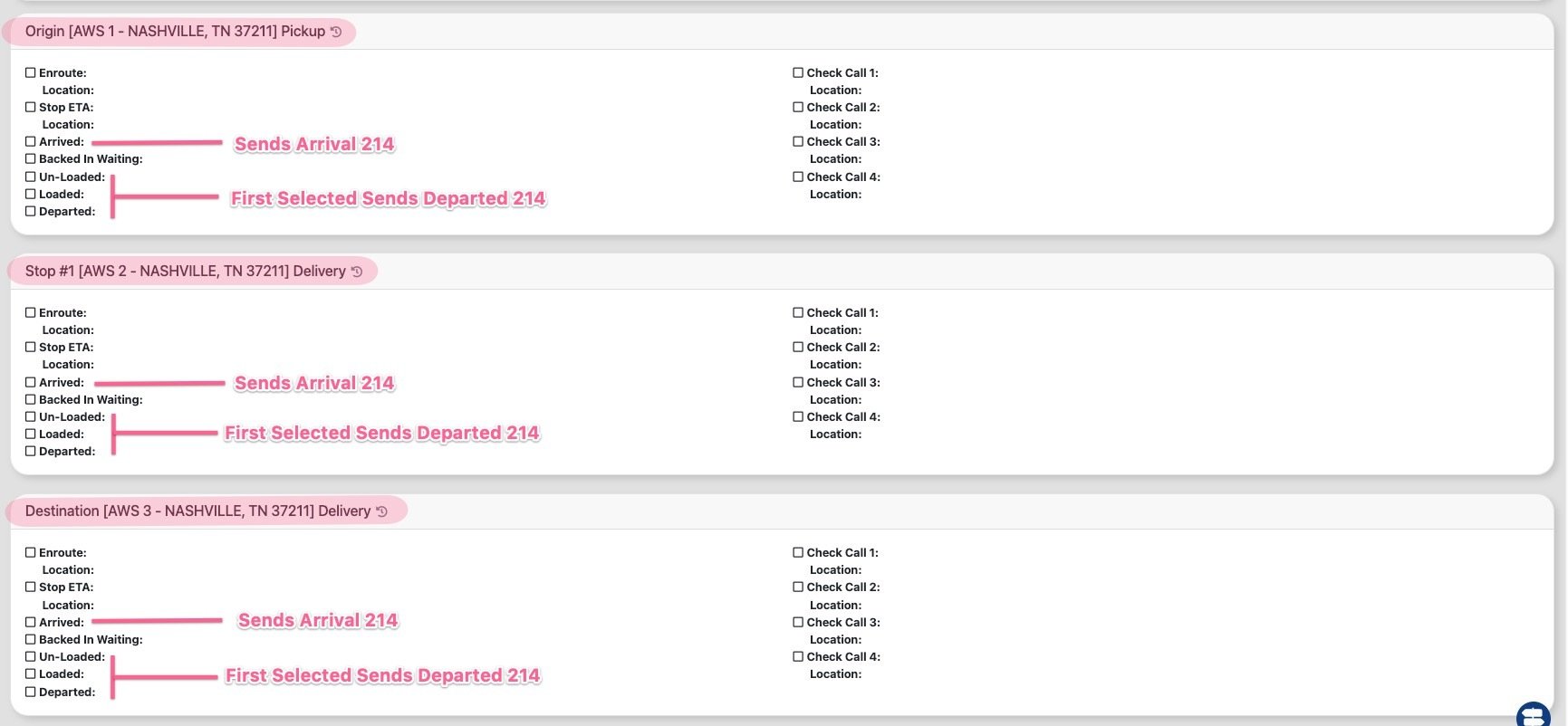
To successfully transmit 214 status messages to BitFreighter, it is essential to use specific check calls in the correct sequence within the check call section of a load.
To trigger a 214 Arrival message for a certain stop, you will select the "Arrived" check call within that stop check call card.
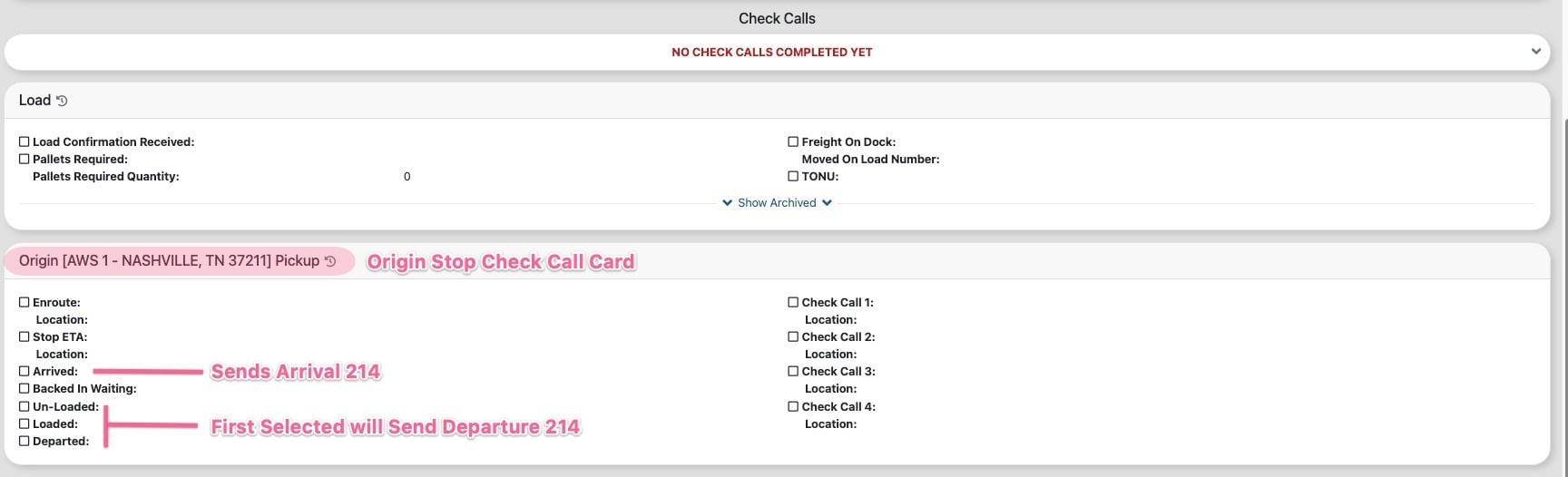
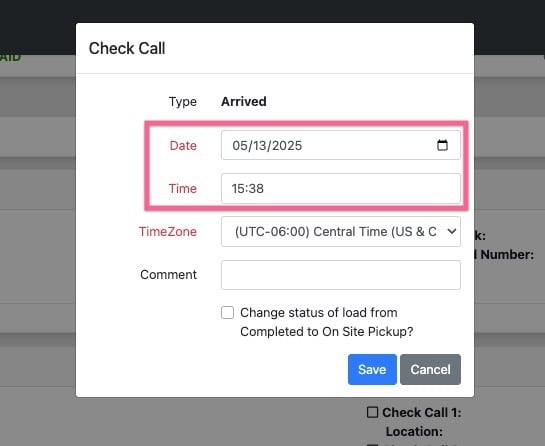
The date/time value sent in the 214 message is determined by the date/time entered when the check call is selected.
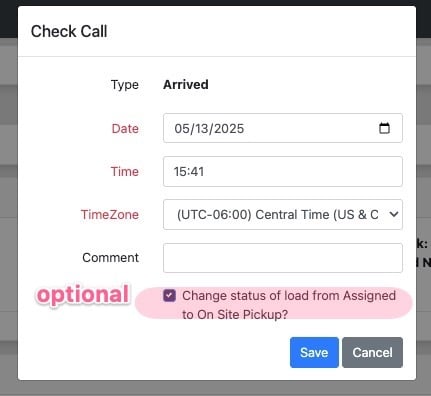
It is optional to change the load status when making the check call. Either way the 214 will be sent.
To initiate a 214 Departure message for a specific stop, you must select one of the following check calls: "Loaded," "Unloaded," or "Departed." The first check call you choose will activate the Departure 214 message. Please note that only one departure message can be generated for each stop.
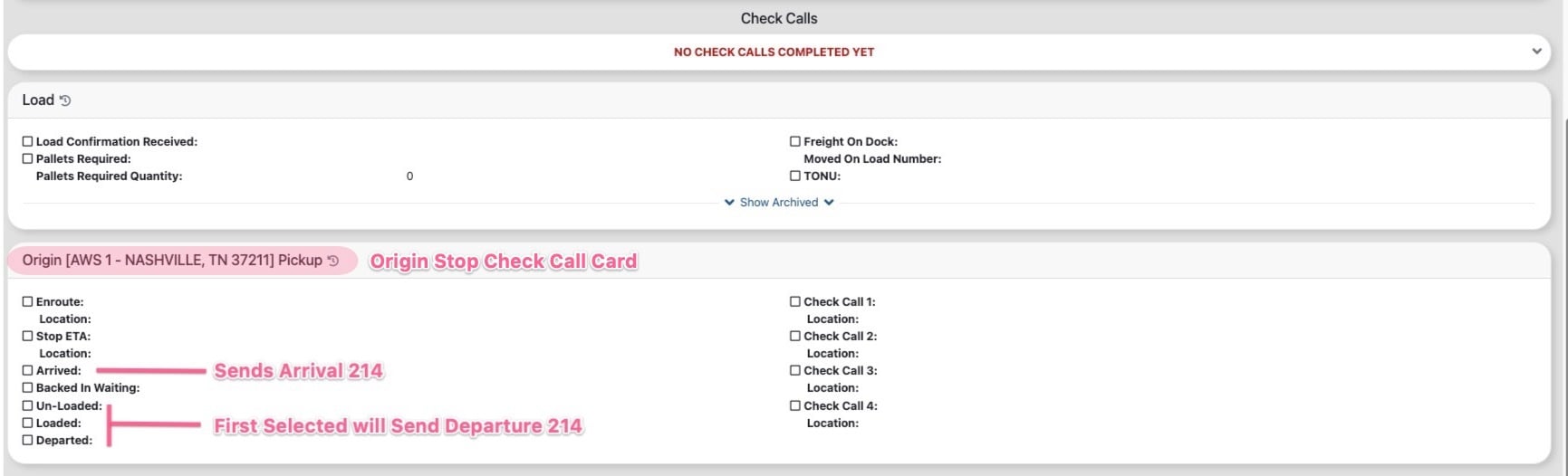
It is important to follow the correct sequence when making check calls for each stop. You must first submit an Arrival check call before proceeding to a Departure check call. Attempting to send a Departure 214 message without having first initiated an Arrival 214 will result in the message not being transmitted.
For multi-stop loads, you can initiate the 214 message for each specific stop by following the correct sequence outlined above for the respective check call card.