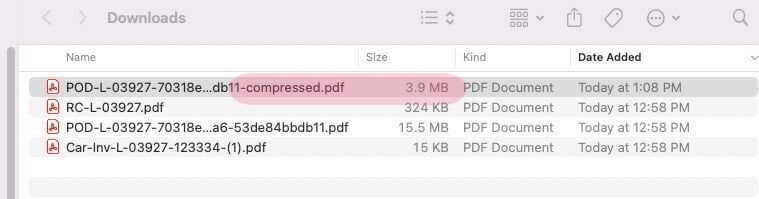
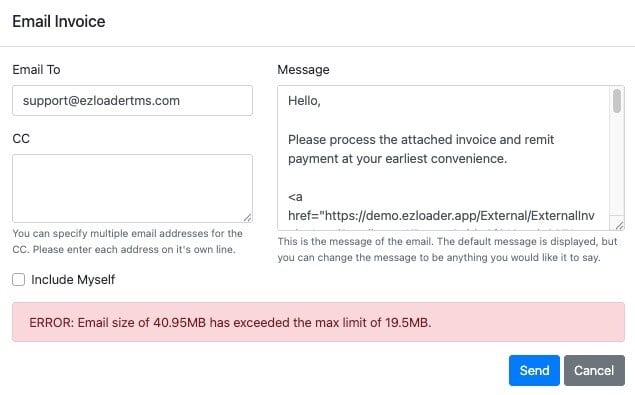
If when trying to send an invoice from within EZ Loader you receive an error that the file size is too big you must utilize a PDF compression tool to reduce the size of the documents included in the invoice PDF packet.
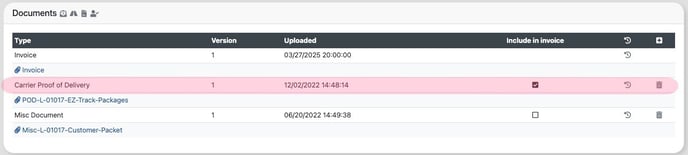
First navigate to the load profile and download any document that is "included in invoice" to review the size of each file. In the example below you can see the size of the POD is already almost exceeding the limits.
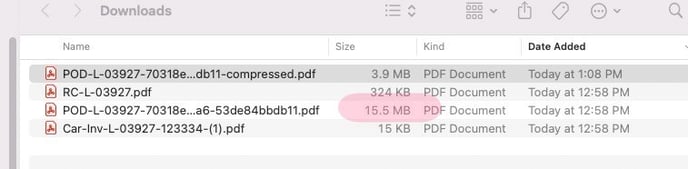
Next, run the large file through a PDF compression tool. We have provided a link to an example below but there are many good other options.
https://www.adobe.com/acrobat/online/compress-pdf.html
Finally, replace in EZ Loader the old oversized file with the new compressed version and regenerate you invoice. You should now be able to send your Invoice packet to your recipient!