
Quick Load # Search

Located in the top bar, users can quickly search for a specific Load # using this search box. Results will take you directly into a load page
Load Search Page (Quick / Advanced)
Quick:
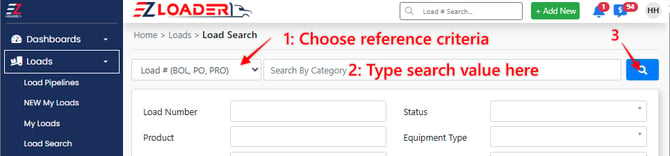
The Quick load search bar (located at the top of the Load Search page) gives you the ability to quickly search for loads based on a number of different categories.
- Load # (BOL, PO, PRO)
- Stop # (Pick Up, Delivery)
- Reference Numbers
- Date
- Status
- Location
Advanced:
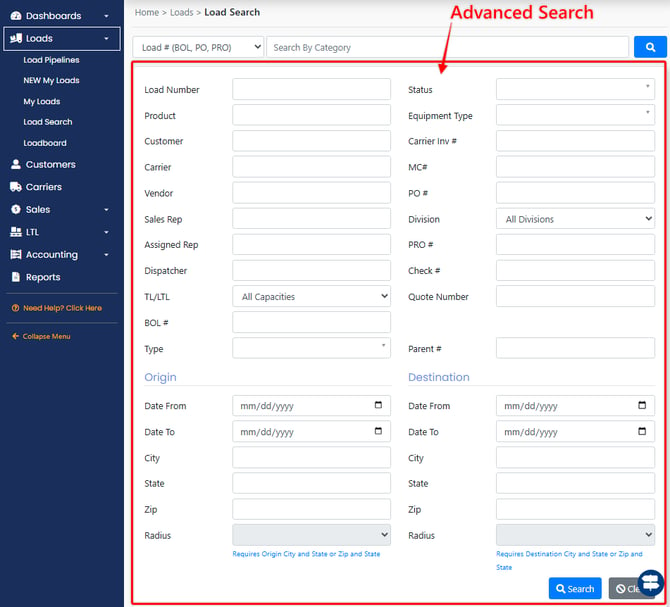
The advanced search can be used for a wider combination of filtering options
A few Use cases for the advanced load search:
- Finding a list of loads associated with a Sales Rep
- Finding a list of loads associated with a load Status
- Finding a list of loads associated with a Customer
- Finding carriers who have covered similar lanes for you in the past
***Note*** Hitting the blue search button at the bottom of the screen with no search criteria will return a list of all loads (Up to the limit of 1000).