
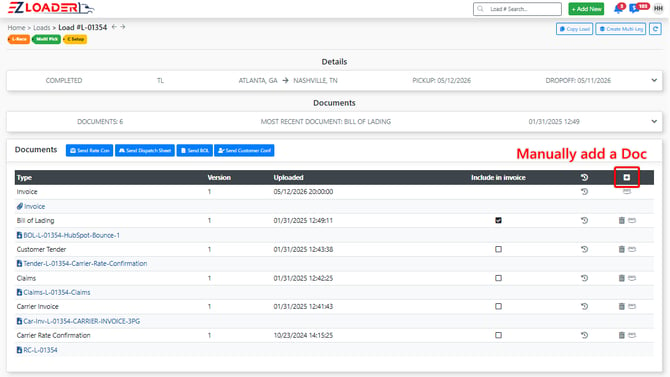
Documents can be added and accessed in this section of the load profile. You can upload documents manually by selecting the [+] icon. In addition, documents processed through document management will show up here as well.
Sending Documents from the Documents Section
From this section, you can easily send documents out for electronic signature. Select the appropriate icon and complete the email details to send the document.

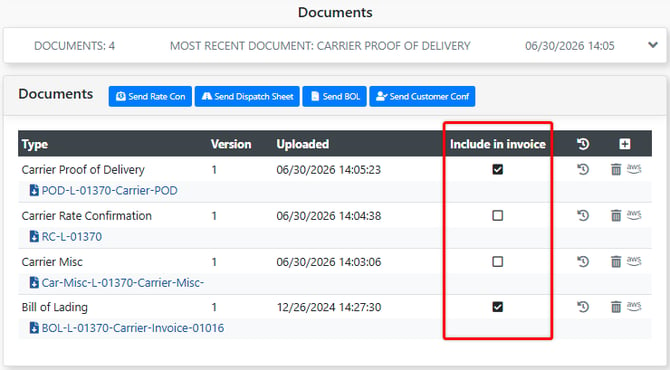
Including Documents in the Invoice
Marking the Include in Invoice checkbox will attach the document to the invoice PDF.
*CLICK HERE FOR LINK TO DOCUMENT MANAGEMENT ARTICLE*