
-
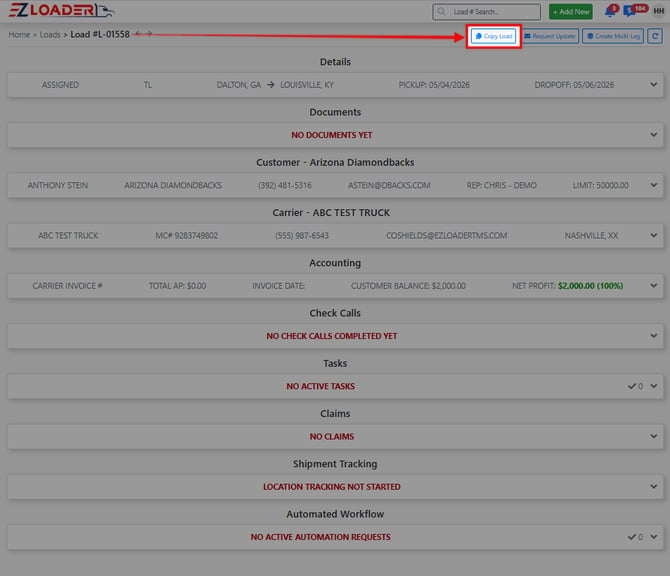
Step 1 - Find the load you want to copy and open the LOAD PAGE.
-
Step 2 - Click the [Copy Load] button in the top bar next to the load number
-
Step 3 - Check the boxes for the items you would like to copy
-
Step 4 - Customize copied loads.
Once [Copy Load] is selected, the user can choose how many copies to create and specify which details from the existing load record that they want to include and finally hit the blue [copy] button.
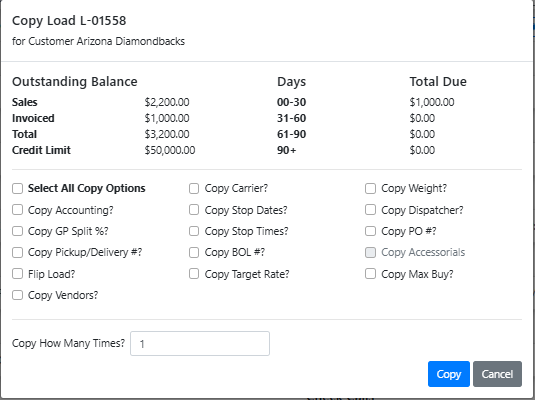
Any details that were not copied, can be filled out directly in the new load profile(s) that were been created.