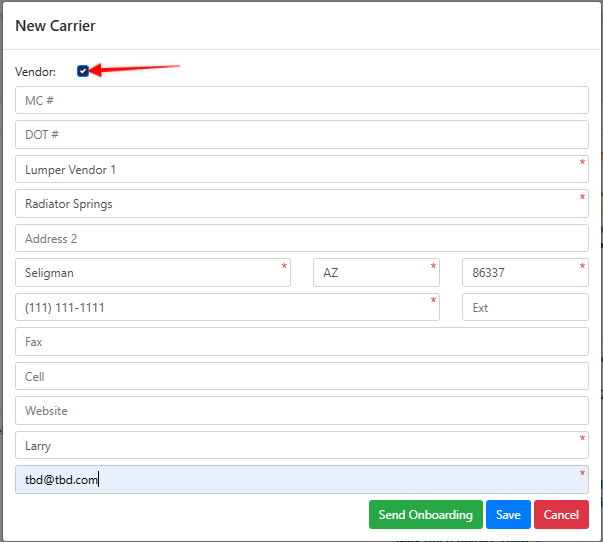
Create a Vendor profile the same way you create a Carrier profile [Add New] > New Carrier, with one additional step: select the “Vendor” checkbox at the top of the New Carrier Modal.
Note: A "Vendor" profile bypasses all standard carrier assignment controls such as insurance requirements.
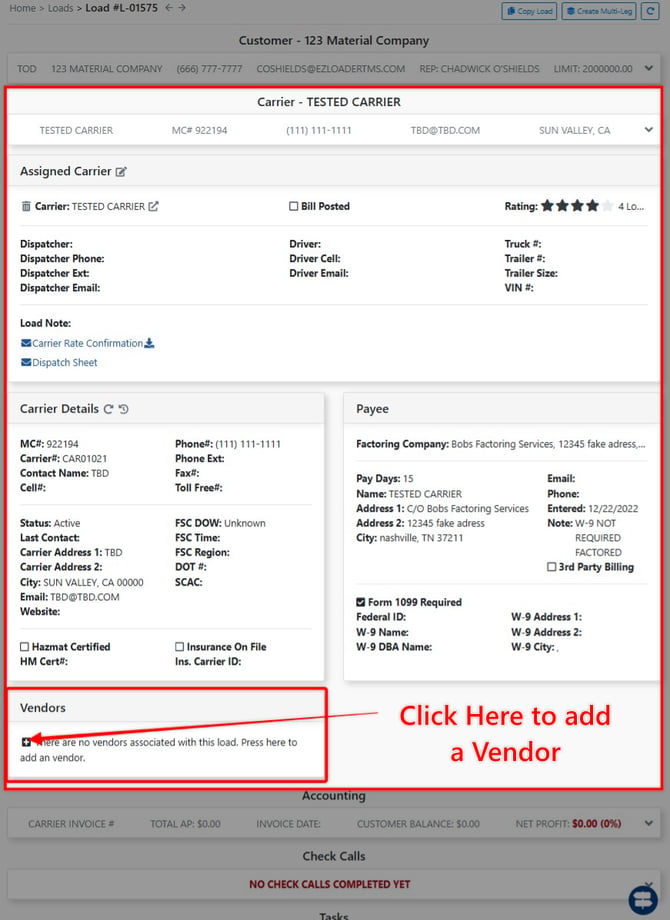
Once you have successfully created your Vendor Profile, you can add a Vendor to a load profile is by Navigating to the Load Profile > Carrier Section > [+] in the "Vendors" section to add a Vendor.
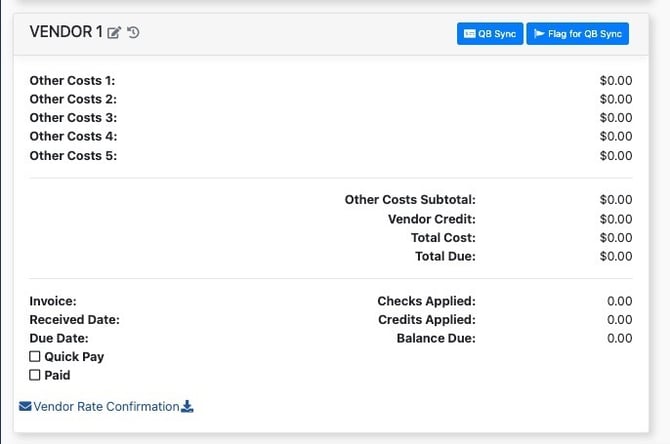
After a Vendor has been added to a load, you will see a vendor rate card appear within the > Accounting section of the load profile.