If you already have the Highway Load Lock or Load Lock + products please contact support@ezloadertms.com to assist with setup.
Overview:
Load Lock:
The Highway Load Lock product contains support for the Highway Secure Rate Con and Load Level Sync / Load Alerts.
Secure Rate Confirmation:
You can send a Highway Secure Rate Confirmation the same way you send an EZ TMS Digital Rate Confirmation. Start the process from the New Load Wizard or a load profile. The Rate Con window defaults to Highway Secure Rate Confirmation, but you can switch to an EZ TMS Digital Rate Confirmation if needed.
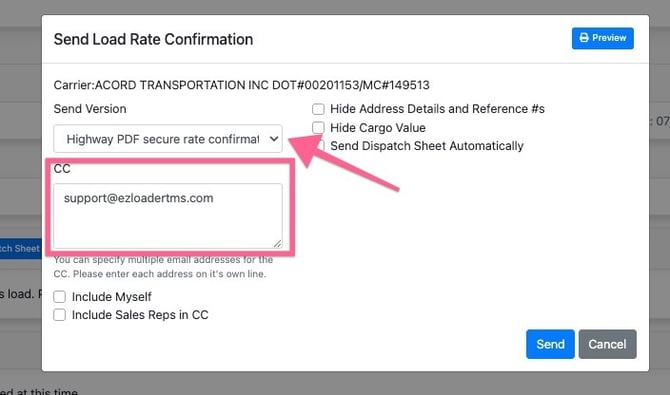
Note: When a Highway Secure Rate Confirmation call is triggered, we will send to Highway two important values
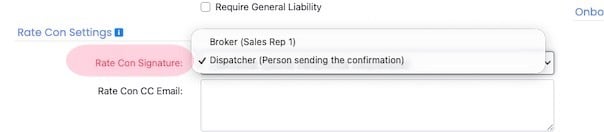
1. Broker Load Owner Email : This value is either the email address of the user sending the rate confirmation OR the sales rep 1 user value on the load profile depending on your account settings. It is critical to note that the "Broker Load Owner Email" must match an active Highway user account.
2. Broker Reply to Emails : This value always includes the Broker Load Owner Email, along with any CC email addresses added when the rate confirmation is sent from EZ TMS. If a carrier selects “Reply all” to the rate confirmation email from Highway, these addresses will be included in the response.
Load Lock / Load Sync / Load Alerts:
Engaging a Highway Load Lock will synchronize load details to the Highway system for monitoring. EZ TMS will also display any "Load Alerts" provided by Highway.
There are two options for triggering a Highway Load Lock:
1. Manually from the Sync & Tracking section of a load profile.
To initiate a Load Lock, navigate to the "External Sync & Location Tracking" section of the load profile. If you do not have Highway tracking (Load Lock +) you will select the "Sync Only" option.
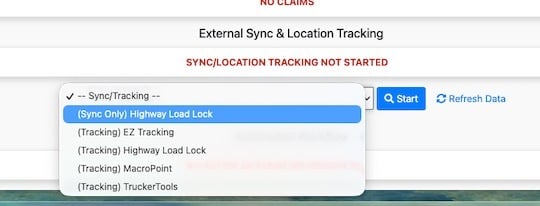
Once you have initiated the Load Lock you can use the same drop down to trigger a different tracking service such as Trucker Tools in addition to the Highway Load Lock.
If you do have Load Lock + and want to utilize Highway tracking in addition to the load sync you will select the (Tracking) Highway Load Lock option from the dropdown.
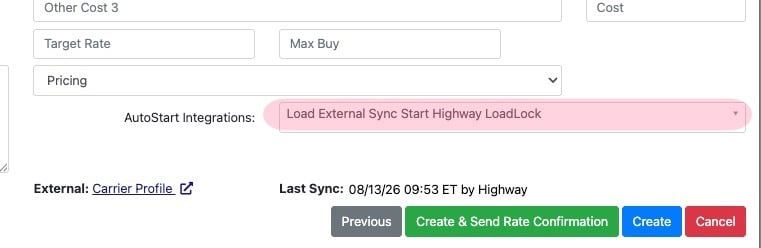
2. Automatically from the New Load Wizard
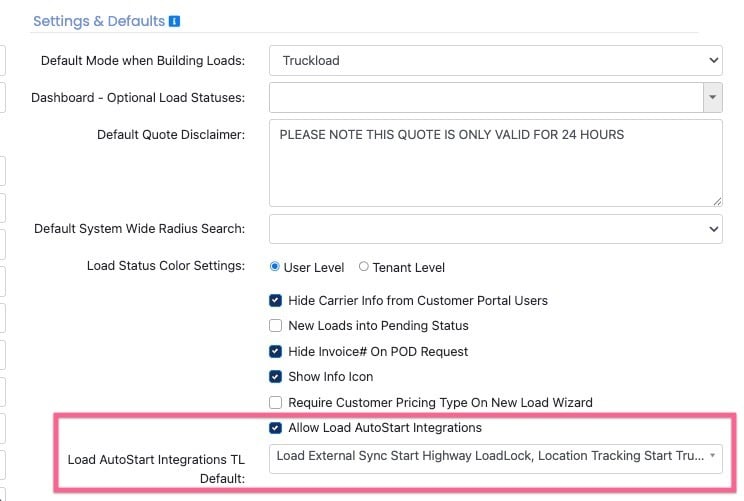
On the third page of the New Load Wizard there is an available drop down to select which services you would like the system to initiate once the load is built. Please note these options can be set as a default from your company settings page.
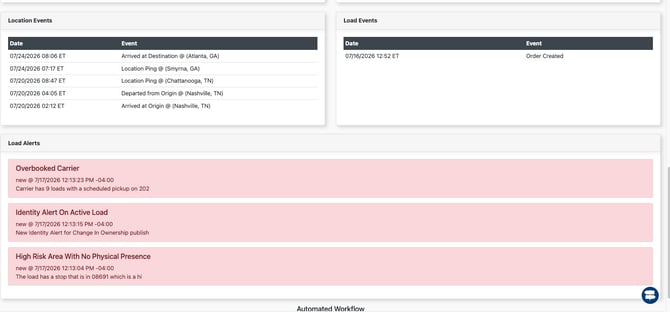
With Load Sync and Tracking active you will see location events and well as load alerts within the External Sync & Location Tracking section of the load profile.