Setup
DAT Credentials must both be entered at the account level using your organization/service level DAT credentials as well as the user profile level.
Click Here If you do not already have a DAT Service Account
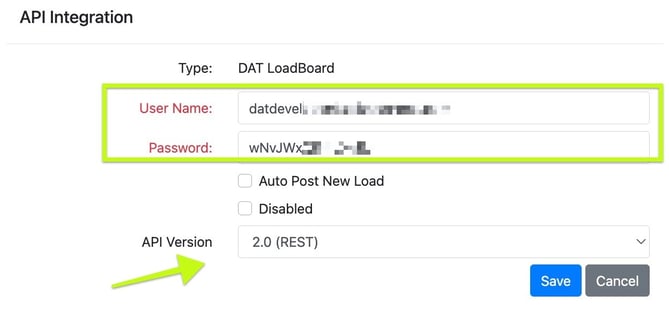
1. To activate DAT on the account level and admin level user must first navigate to the settings > Integrations page. Select DAT Load Board, change the API version dropdown to 2.0 and enter your service account credentials
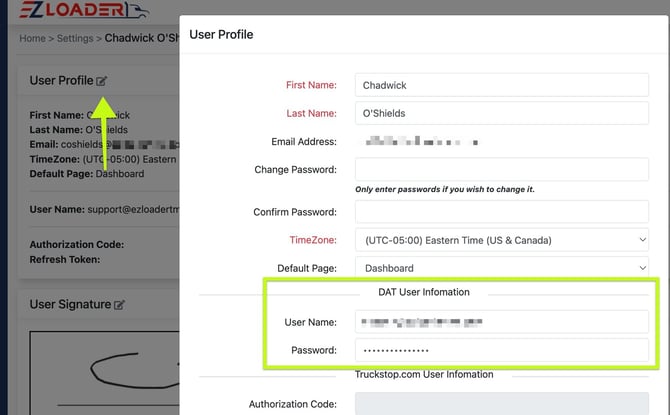
2. Each individual user must navigate to the Settings Page > User Profile > Enter their DAT login credentials. Please note the user must have a DAT connexion license associate with their DAT account.
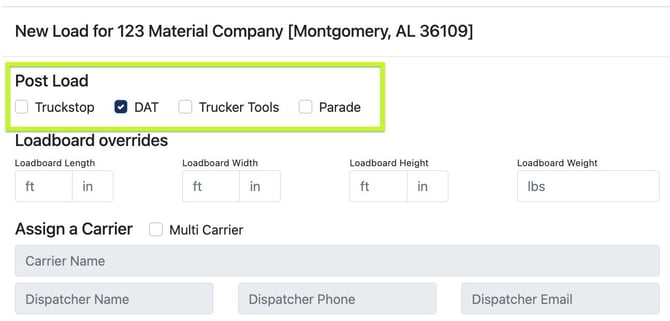
How to Post a Load
You can post a load to DAT when building a load through the New Load Wizard, The Carrier Assignment Modal within a Load Page, or directly from the Loadboard page itself.
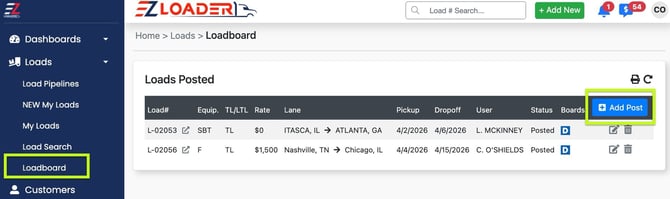
Note: EZ Loader will automatically refresh load board posting through the API around the 15 minute mark. There is no need to manually refresh or delete and repost to reset the age of your posting on DAT.

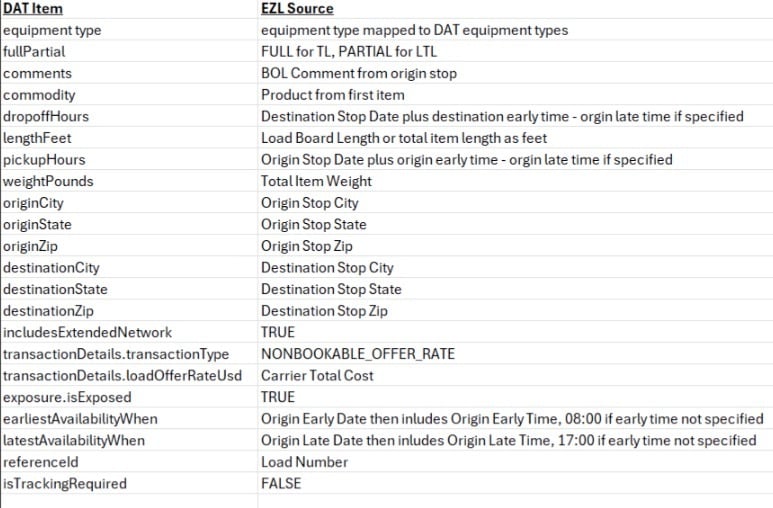
Data Point and Equipment Type Mapping
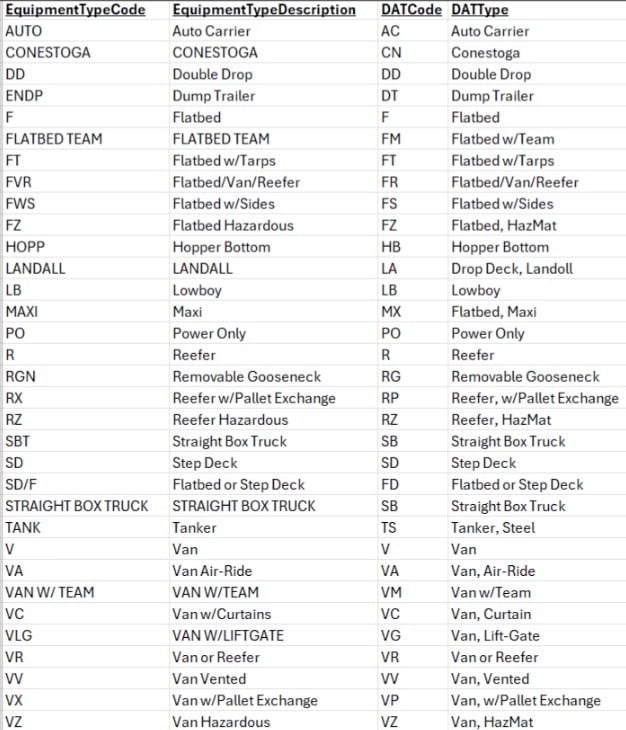
Please note: Not all equipment types in EZL are support by DAT. Custom Equipment types in EZL will error if trying to post to DAT. See list of supported equipment types below:
Data Points: