Overview:
Our CRM gives you the ability to build prospect records, log outreach, create quotes, set follow up tasks and ultimately promote your prospect to a customer.
Creating a prospect
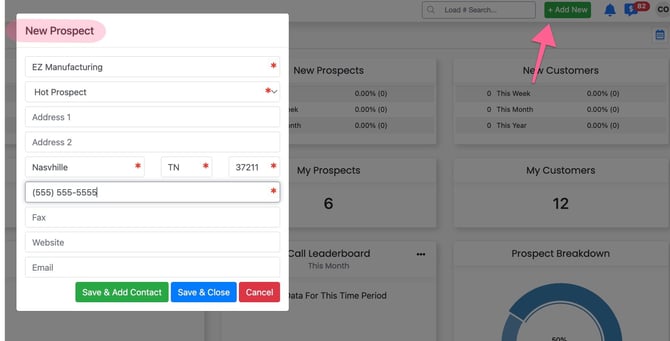
Create a new prospect record through the command center:
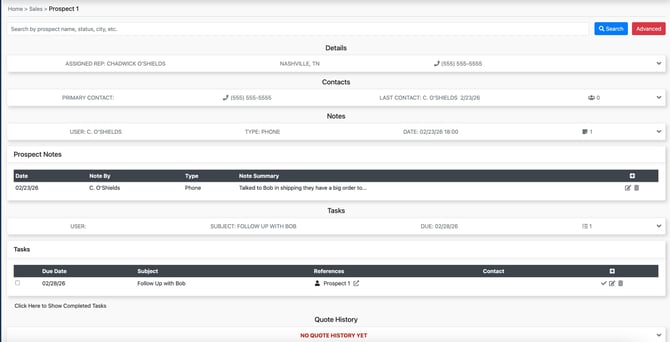
Prospect Profile Overview
Within a prospect profile there are sections to record company details, save contacts and record notes and follow ups.
Click Here for Help Article on Customer/Prospect Quoting (STILL NEED LINK)
CRM Dashboard
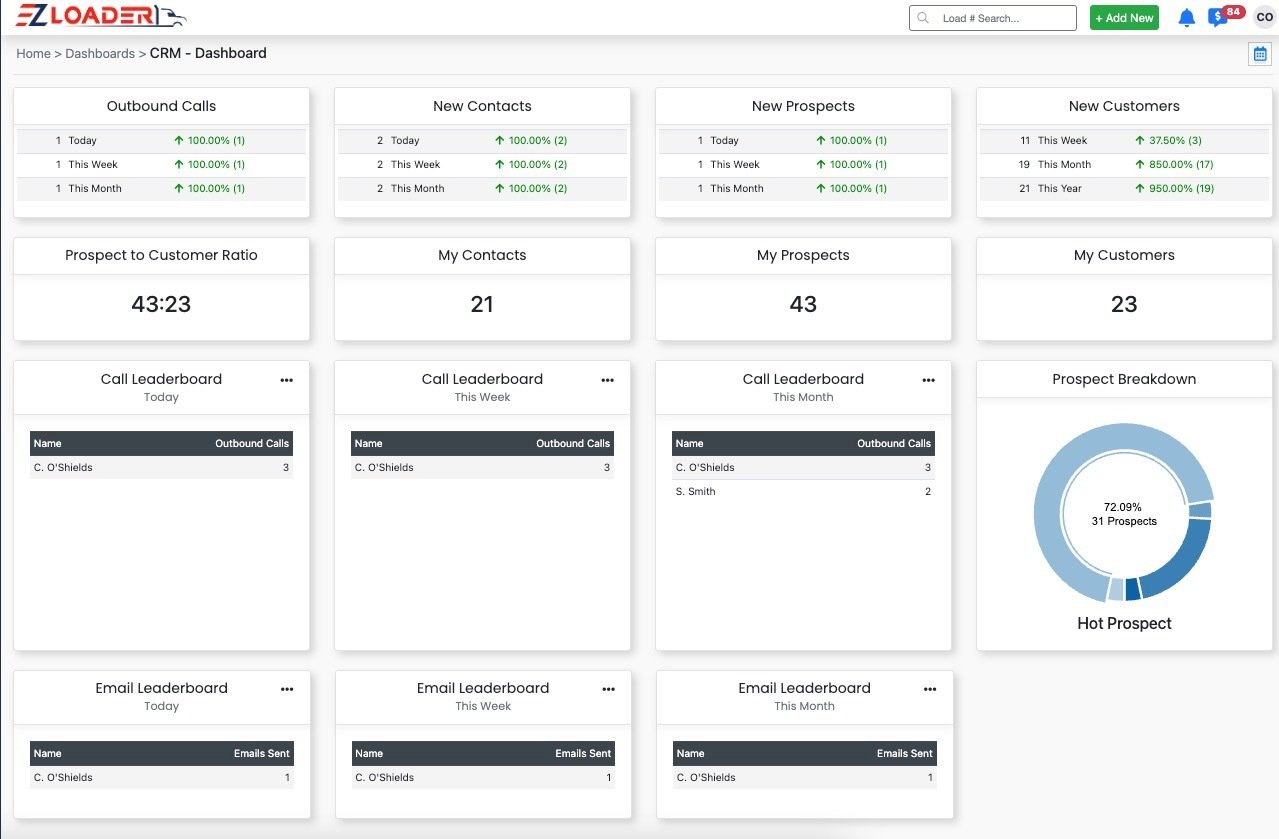
The CRM dashboard presents a concise overview of the user’s sales process and serves as a central tool for monitoring prospecting activity for new customers. As the front page of the CRM, it summarizes all sales-cycle activity so you can quickly see what is in motion and where to focus next.
Bulk Prospect Upload
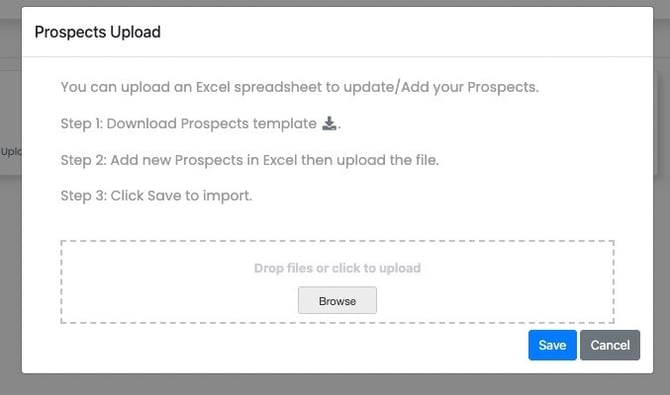
You can can create prospect records in bulk utilizing our upload template.
Navigate to settings > Data Upload > Prospects > Download the template and follow the upload instructions
Click Here for Full Details on the Prospect Upload Process