
You have the ability to prevent certain carriers from being assigned to loads for specific customers.
Steps:
Begin by accessing the customer profile for which you wish to restrict a specific carrier for future load assignments.
In the miscellaneous section at the bottom of the customer profile, you will find the carrier block list. Here, you can view the carriers that have already been restricted for this customer, or you can add a new carrier to the block list by clicking the plus sign (+).

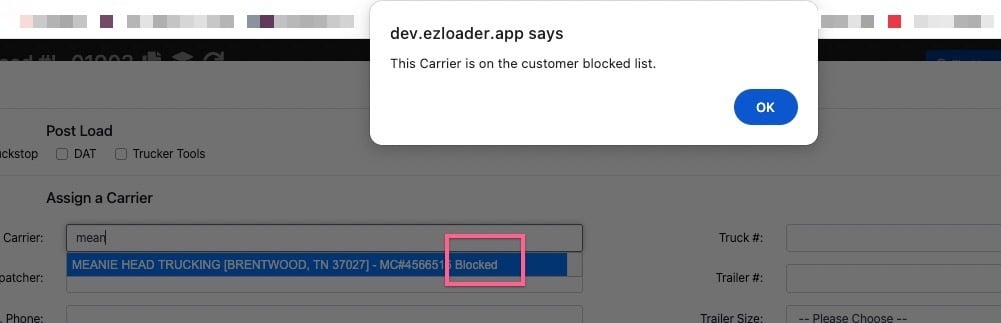
If a user attempts to assign a carrier that is on the block list, the system will display the term "blocked" next to the carrier's MC# and a popup message will alert them that the assignment cannot be completed.
As of June 3, 2025, all users, regardless of their permission level, will have the ability to add or remove carriers from the block list. Additionally, the system will enforce the block list, ensuring that no user can override the restriction on assigning a blocked carrier.