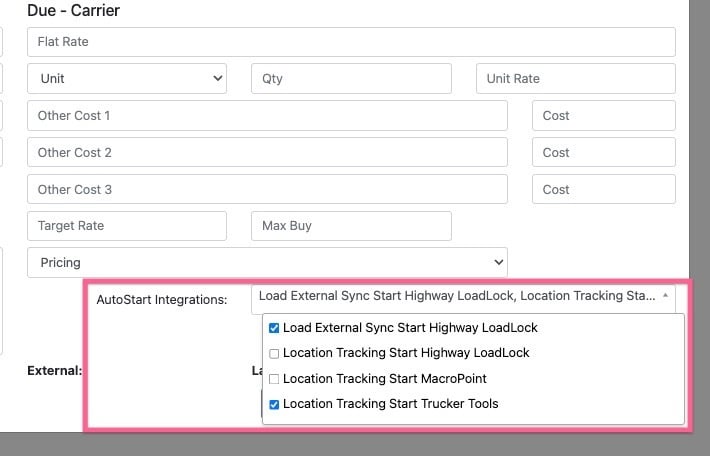
EZ TMS provides the ability to automatically start certain integrations when a load is created through the New Load Wizard
Video Overview:
Steps:
On page 3 of the New Load Wizard select from the dropdown the integrations you would like to start.
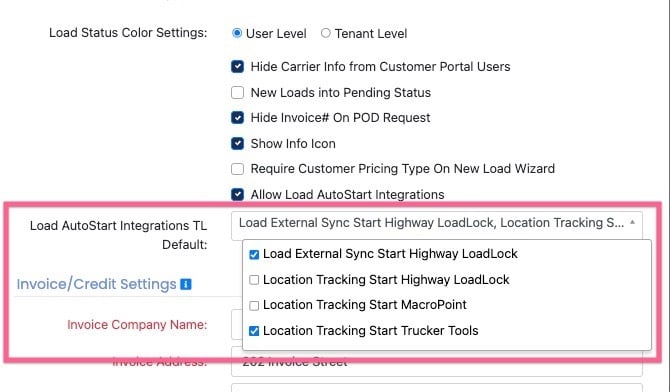
Note: In you Company Settings you can set defaults so that every time a new load is created it will be selected automatically.
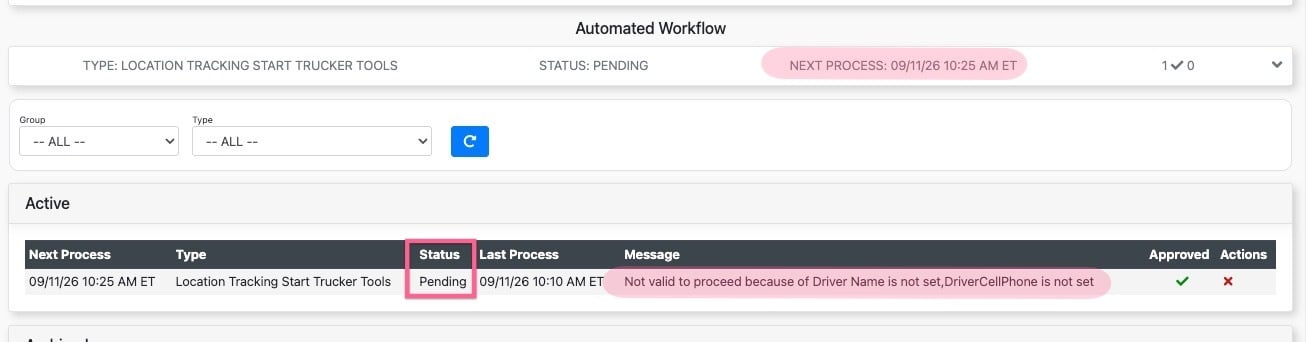
Once the load is created you will see a new message in the "Automated Workflow" section of the load profile.
Once the message processes the system will automatically start the integration with no further user interaction.
If the system is unable to start the integration due to an error or missing required information a results message will appear providing direction on what needs to be corrected. Once the issue is resolved the system will automatically start the integration on the next process cycle.