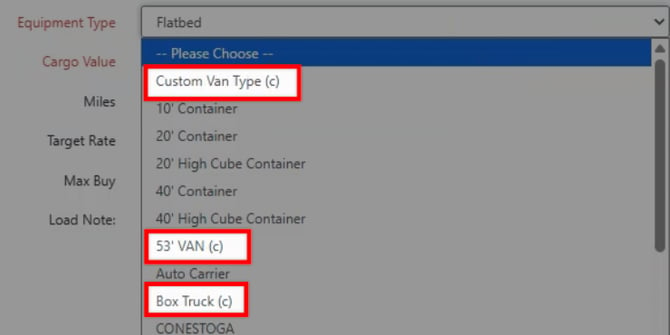
IMPORTANT: If you are using a Loadboard or Tracking integration (DAT, Truckstop, TruckerTools, etc.), custom equipment types may not be recognized by those external services. We strongly recommend using only standard equipment types on any loads that rely on these integrations.
To add a new Custom Equipment Type, navigate to the Settings Page > Equipment Types.
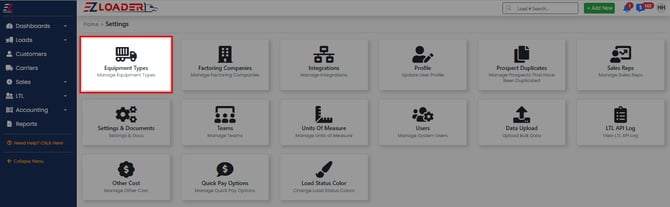
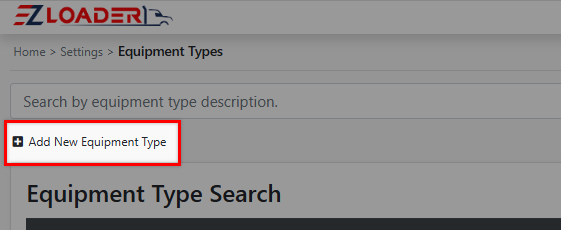
Select the + Icon and fill in the applicable information.
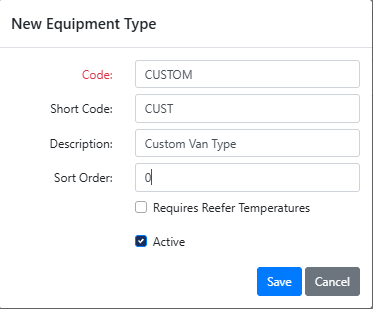
Code - The name of your Equipment Type that appears in your list
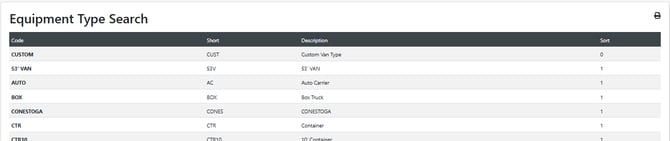
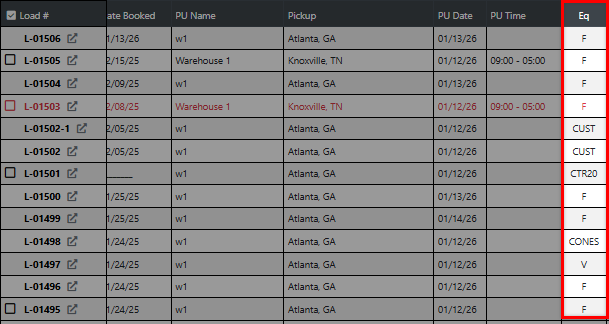
Short Code - This text/abbreviation appears on your My Loads and Load Search results pages
Description - This text appears when selecting an equipment type for a load. Any new equipment type you add will display a (c) after the name.
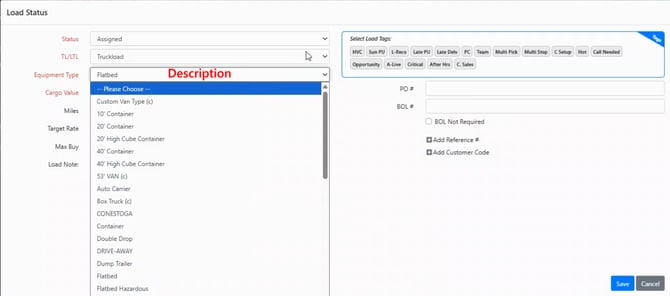
Sort Order - Controls the order the equipment types are listed in the drop down. The lower the number the higher it is in the list.
REMINDER: If you are using a Loadboard or Tracking integration (DAT, Truckstop, TruckerTools, etc.), custom equipment types may not be recognized by those external services. We strongly recommend using only standard equipment types on any loads that rely on these integrations.
REMINDER: Custom Equipment types will have a (c) displayed after the name