
Adding a Prospect
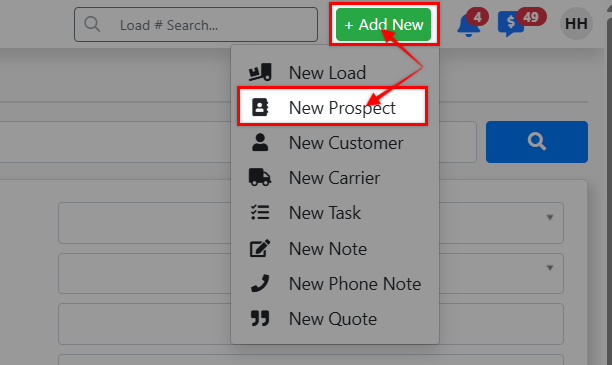
Step 1 - Click the [+ Add New] Command Center button in the top of your screen > New Prospect
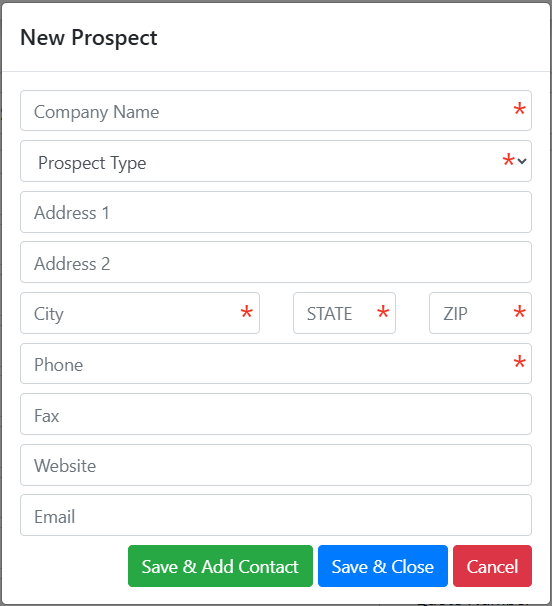


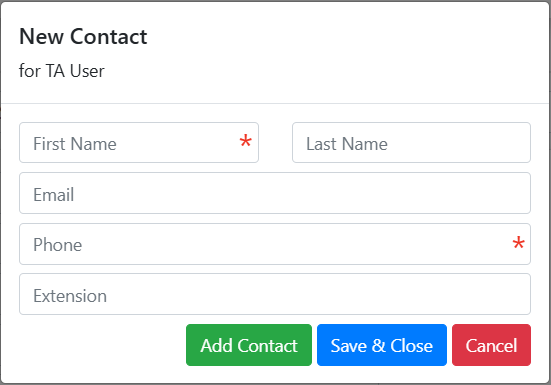
When you select the [Save & Add Contact] button when creating a prospect, it will display a page that will allow you to build out any contact(s) into the prospect profile.
Note: You also have the option to add contacts later directly in the prospect profile
Prospect Profile Overview
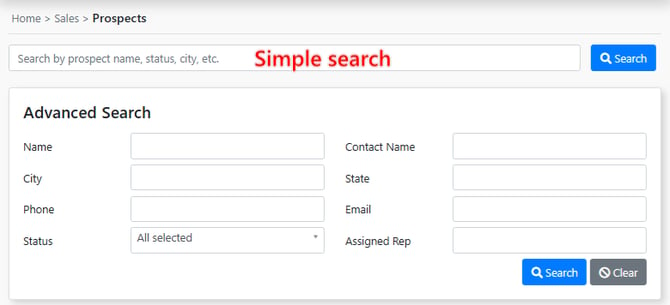
Your can find your prospects search located in the Sales tab in your EZ TMS sidebar
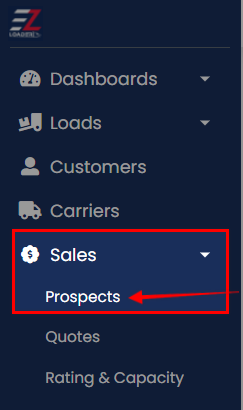
Run a simple search using the top search bar. Additionally you can use the Prospects "advanced" search to run a more focused search (ex: find all Hot Prospects by selecting "Hot Prospect" in the status field and clicking the [Search] button)
Within a prospect profile you have the ability to:
- Document Prospect Details
- Add related contacts
- Create Notes
- Create Tasks
- View Quotes
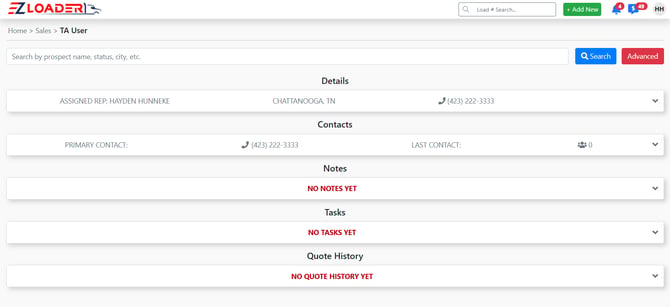
All Notes, Tasks, and Contacts that you add to a prospect will transfer over to their new Customer Profile if they are graduated to "Customer" status.
Click Here to Review how to promote a Prospect to Customer