
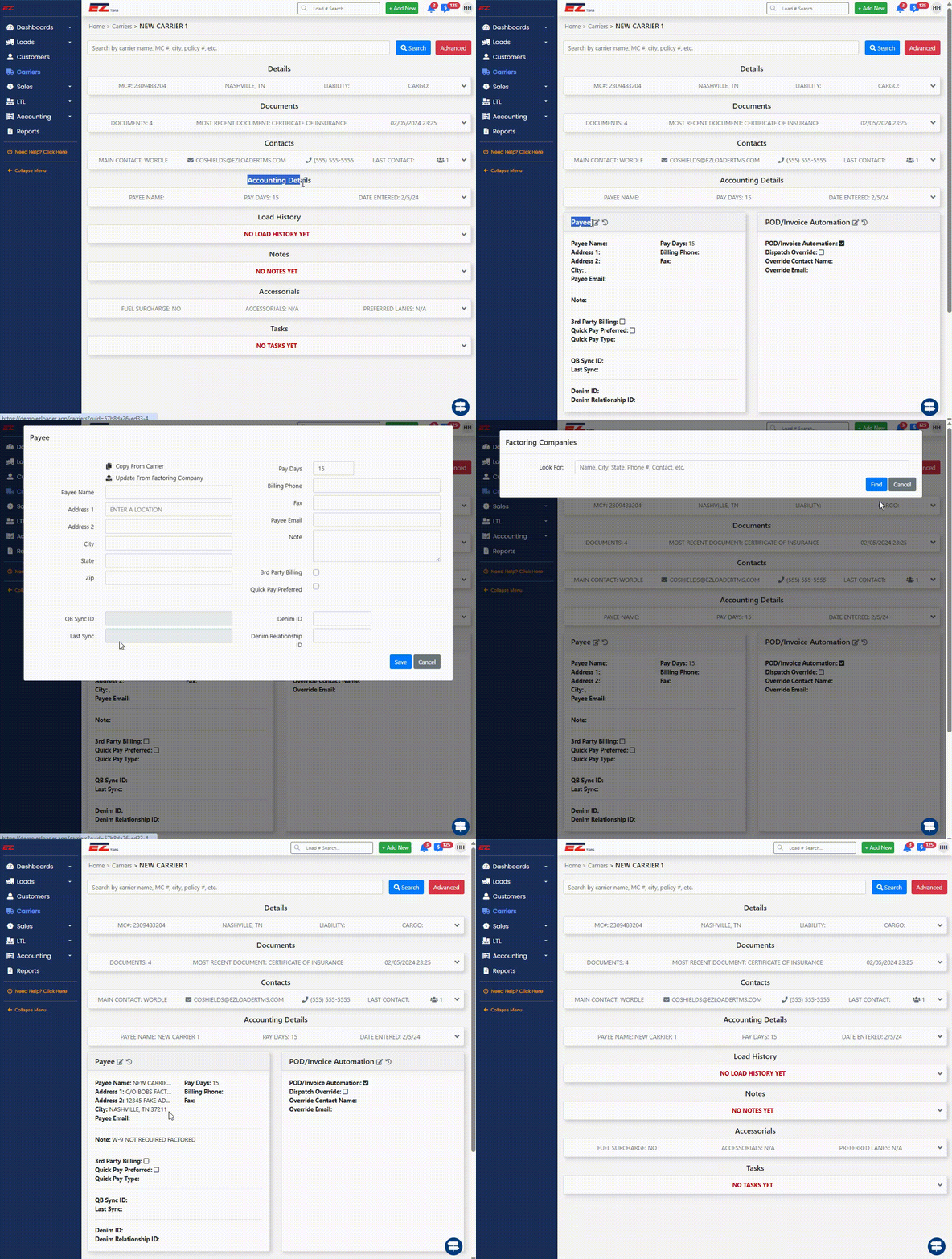
***NOTE: If you are utilizng a Carrier Onboarding / Carrier Monitoring integration (i.e. Highway / My Carrier Portal / RMIS), EZ TMS will import the Carrier's Payee information from the 3rd Party service. However, you can use this functionality to "lock in" the Factoring Company's Payee information into the Carrier profile .
Additionally, if you are utilzing EZ TMS's internal Carrier Onboarding functionality and your account is not connected to a Carrier Onboarding / Carrier Monitoring integration, Carriers will be able to search your Factoring Companies address book when entering their Payee information into the EZ TMS "Carrier Onboarding Webform" during the onboarding process.
Adding Entries into Address Book
Note: Only Admin and Accounting users have access to add entries into your accounts Address Book
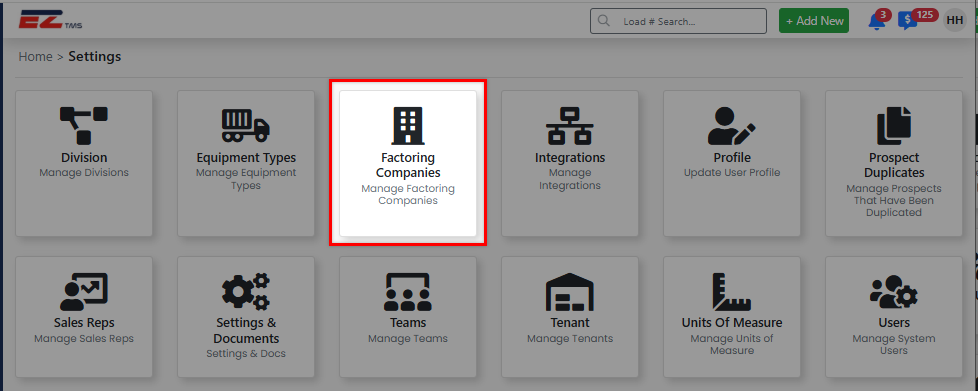
1) Selecting your Initials in the top right corner > Settings > Factoring Companies
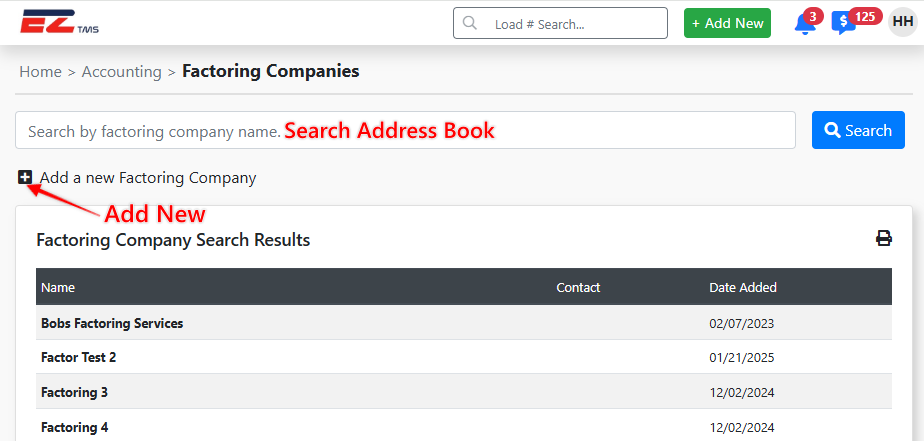
2) Select [+] "Add a New Factoring Company" > Fill in the applicable information > Select Save
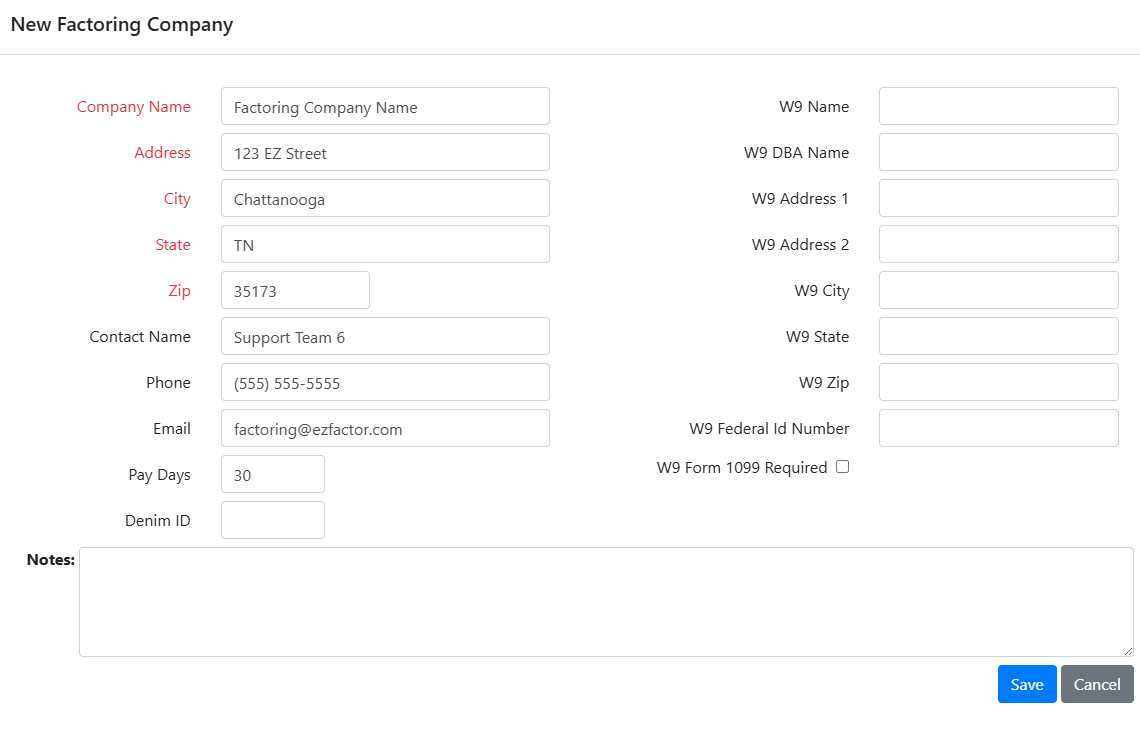
3) Fill the new Factoring Company's information in the modal > Select Save
Adding a Factoring Company to the Carrier
Adding a factoring company to a carrier only takes a few steps:
1) Navigate to the Carrier Profile > Accounting Details > edit Payee
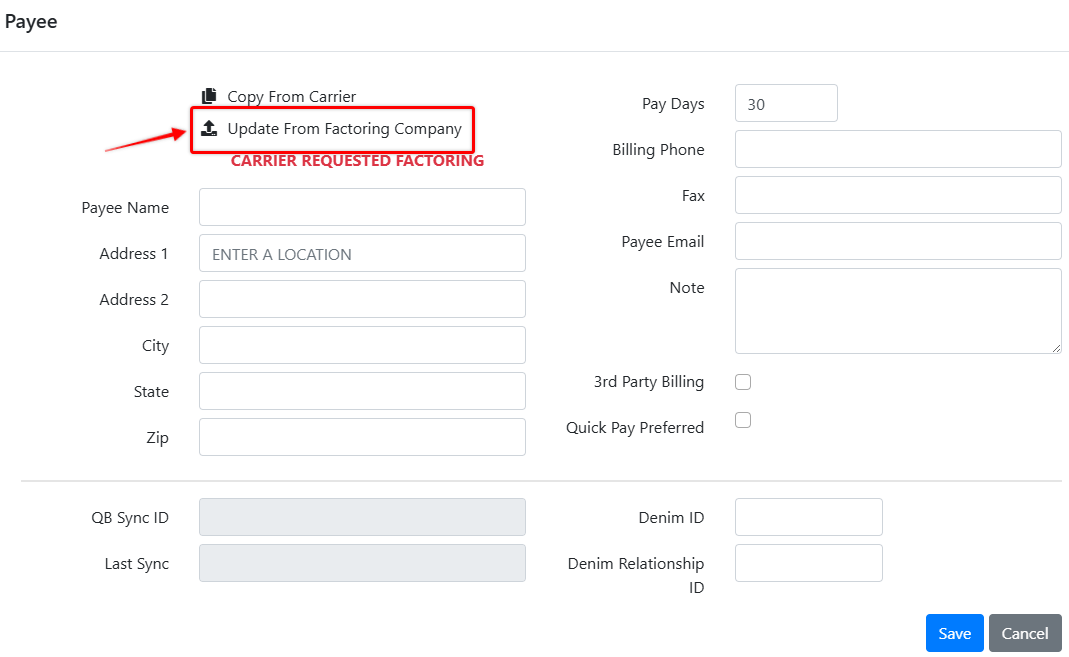
2) Click "Update from Factoring Company"
3) Search for (and select) the Factoring Company you would like to add from the address book
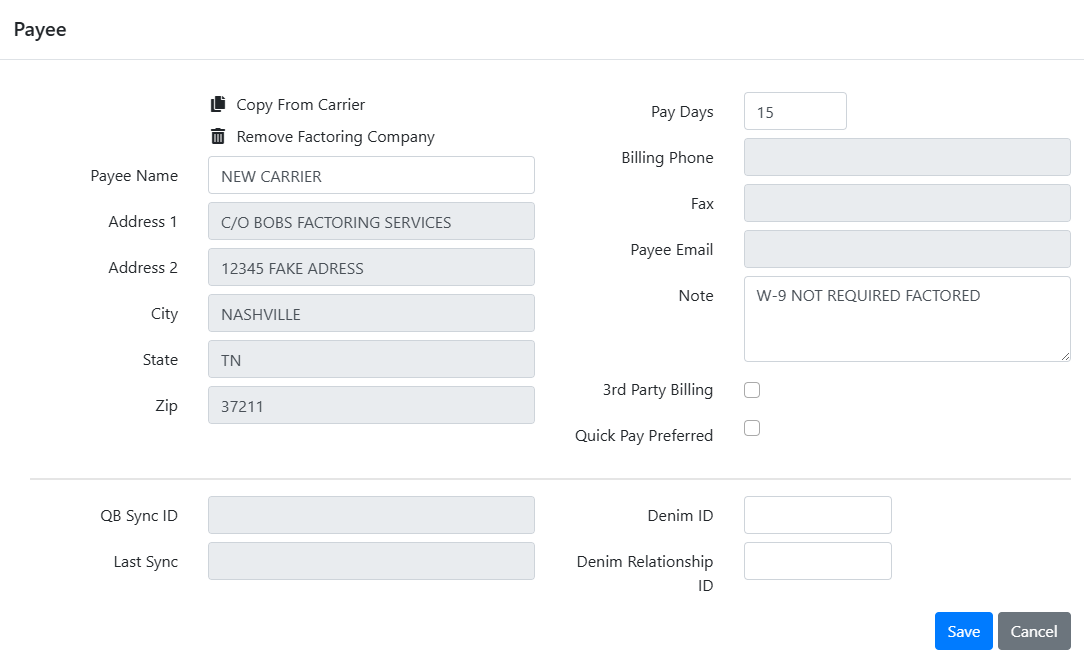
4) The Factoring Company information is now applied as the Carrier's payee. Any changes to the Factoring Companies address book entry will apply to any Carrier profile where the Factoring Company is linked.
5) Refer to the walkthrough video at the top of this article for an example.